Method
How this works, and where it stops
This page is the whole method, including the parts that make us look less impressive. If you are going to trust a number about your own property, you should know exactly where it came from.
- Free
- No account
- No phone number
- Your result first
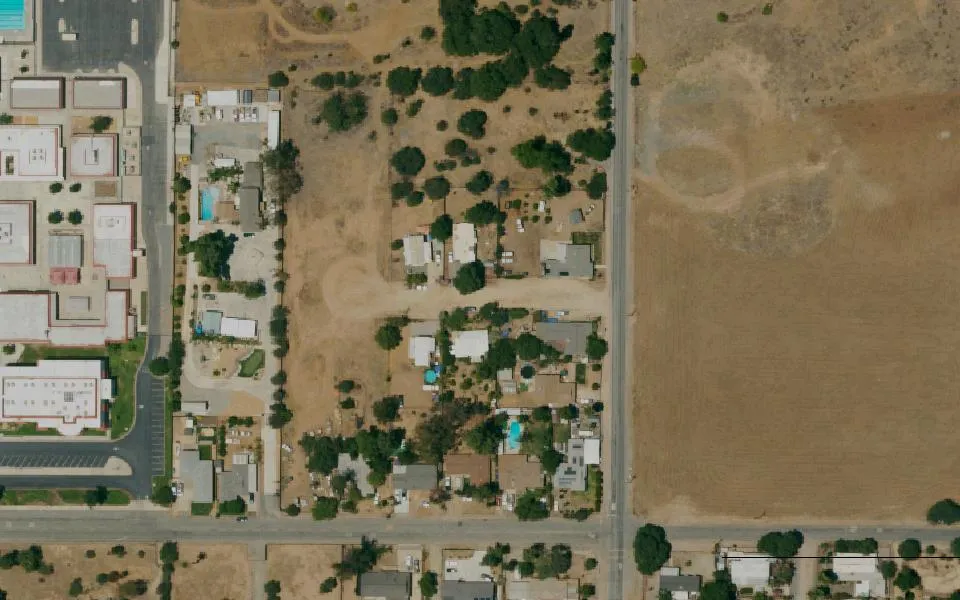
Aerial: USGS/USDA NAIP
Step 1 — Your parcel boundary
You enter an address. We geocode it through Riverside County's own geocoder, then query the county assessor's public parcel layer for the polygon containing that point — the same data the county uses, not a commercial resale of it.
Step 2 — The buildable area
We shrink your parcel inward by the setback, then subtract two things:
- The setback band. For a new detached ADU, California caps the side and rear setback at 4 feet. Your city cannot require more, so we use that figure.
- Your existing house, plus separation. Buildings need clearance between them. We use 6 feet, which is a conservative assumption rather than a verified city value — it is the single hardest number to source per city and the one most likely to be wrong, so we err toward showing you less space than you may actually have.
What remains is the buildable area — the green shape in the drawing.
Step 3 — Fitting a plan
You pick a plan and we place its footprint at true scale. Then we search a grid of positions and two orientations across the buildable area for the best placement there is, and snap the plan to it.
That search matters more than it sounds. Without it the result would tell you whether you happened to drop the rectangle in a good spot, not whether the ADU fits at all. We caught this in our own testing — a 20 by 20 studio on a 6,600 sq ft lot reported "tight" purely because of where it had been dropped.
Step 4 — Why three answers instead of yes or no
- 3–25ftTypical gap between a public parcel line and the surveyed one
- 4ftThe setback we are measuring against it
- 4%Riverside County's stated acreage vs its own polygon, on one parcel
The error bar is wider than the thing being measured. That 4% is not a criticism of the county — assessor data exists for taxation, not for siting buildings — but given all three numbers, a confident yes would be a guess wearing a suit. So:
| Result | What it means |
|---|---|
| Looks like it fits | The footprint clears the buildable area with at least 10 feet to spare — comfortably more than the data's error bar. |
| Tight | It fits on paper, but the margin is inside the measurement error. This is a genuine maybe. A surveyor or builder needs to confirm on site, and we will say so rather than pretending otherwise. |
| Unlikely as drawn | The footprint does not fit the buildable area. A smaller plan, a garage conversion, or an attached unit may still work. |
We calibrated the 10 foot threshold empirically rather than picking a round number. At 3 and 5 feet almost everything came back as "fits", which is exactly the overconfidence the parcel accuracy data warns against. At 10 feet the results discriminate properly: large lots pass everything, typical tract lots pass smaller plans and flag large ones, and genuinely small lots honestly flag everything.
What this does not check
Any one of these can stop a project that passes the geometry check completely.
- Utility and drainage easements, which often run through rear yards
- Topography and slope
- Sewer or septic capacity
- Electrical panel capacity and gas availability
- Soil conditions
What happens after
Nothing, unless you ask.
- The lot check is free. We do not need your name or phone number to show you the result.
- Want the written report? We email it to you.
- Want a builder? We introduce you to one licensed builder who works in your city, and we tell you who before we do it. Not five. Your phone will not start ringing.
- Before any of that, you talk to a person here — partly so you get useful answers, partly self-interest: we would rather not send a builder someone whose project was never going to happen.
Now put it to the test
You have read the method and the error bars. Free, and no phone number.